
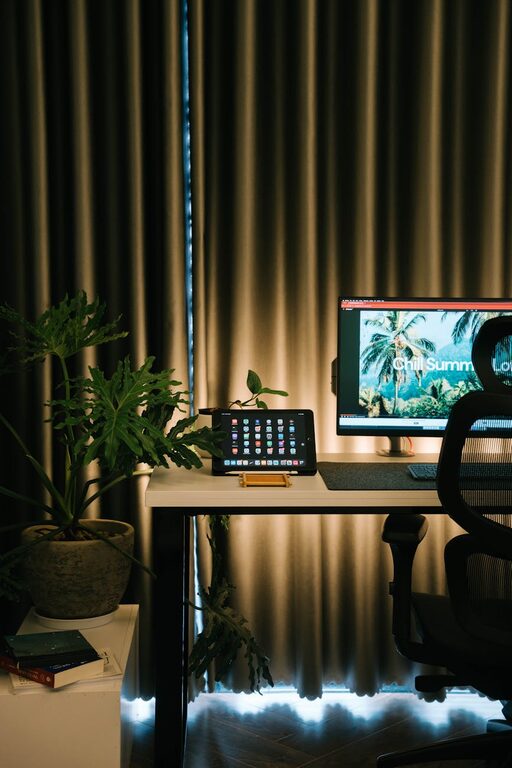
Creating a home office that is both productive and comfortable can make a significant difference in how effectively you work from home. Whether you are new to working remotely or looking to improve your current setup, the right environment helps you stay focused and motivated. Here are practical tips for designing a home office space that supports your work and wellbeing.
Choose the Right Location
Finding the perfect spot within your home to set up your office is the first step. Consider these factors:
– Quiet area: Select a place that minimises distractions and noise.
– Natural light: Position your desk near a window if possible to benefit from natural daylight.
– Space: Ensure there is enough room for your desk, chair, and any equipment you need.
– Separation: Try to keep your workspace separate from living or sleeping areas to create a clear boundary between work and leisure.
Invest in Ergonomic Furniture
Comfort and health should be priorities when choosing furniture for your home office.
– Desk: Choose a desk with enough surface space for your computer, documents, and accessories.
– Chair: An adjustable ergonomic chair can support good posture and reduce the risk of back pain.
– Monitor height: Use a monitor stand or adjustable arm to keep the screen at eye level and avoid neck strain.
– Keyboard and mouse: Consider ergonomic designs or accessories like wrist rests to increase comfort during long hours.
Organise Your Workspace for Efficiency
A tidy workspace helps to reduce stress and improve focus. Here are some organisation ideas:
– Storage solutions: Use shelves, filing cabinets, or desk organisers to keep supplies and paperwork orderly.
– Decluttering: Regularly clear your desk of unnecessary items.
– Cable management: Use clips or cable ties to prevent cords from tangling and cluttering your workspace.
– Essential tools: Keep frequently used items within easy reach to avoid interruptions during work sessions.
Optimise Lighting
Good lighting reduces eye strain and creates a pleasant atmosphere.
– Natural light: Take advantage of daylight but avoid direct glare on screens.
– Task lighting: Use a desk lamp with adjustable brightness to focus light where you need it most.
– Ambient lighting: Soft overhead lights can complement task lighting and balance overall illumination.
Personalise Your Space
Adding personal touches makes your workspace inviting and can boost morale.
– Decor: Choose colours and decorations that inspire and calm you, such as plants or artwork.
– Comfort accessories: Consider items like cushions, footrests, or blankets for added comfort.
– Inspirational quotes: Placing motivational messages within your view can encourage productivity.
Establish a Routine and Boundaries
A well-organised environment supports good work habits.
– Set working hours: Decide on regular start and finish times to maintain work-life balance.
– Breaks: Incorporate short breaks to rest your eyes and stretch.
– Notify others: Clearly communicate your working hours to family or housemates to minimise interruptions.
– Dress code: Dressing as you would for the office can help switch your mindset to work mode.
Use Technology to Your Advantage
Ensure your tech setup supports your work needs.
– Reliable internet: A fast and stable connection is essential.
– Tools and apps: Utilise productivity and communication tools to stay organised and connected.
– Backup power: Consider a UPS (uninterruptible power supply) to protect your work from sudden outages.
Maintain Cleanliness
A clean environment promotes mental clarity and reduces allergens.
– Regular cleaning: Dust and vacuum your workspace regularly.
– Air quality: Keep the room ventilated; adding an air purifier can be beneficial.
– Refresh: Occasionally rearranging or deep cleaning your office can refresh your workspace and motivation.
—
Designing a home office that combines productivity with comfort is entirely achievable by making thoughtful choices about your space, furniture, organisation, and routines. Creating an environment that supports your unique working style will not only improve efficiency but also make working from home a pleasure.