
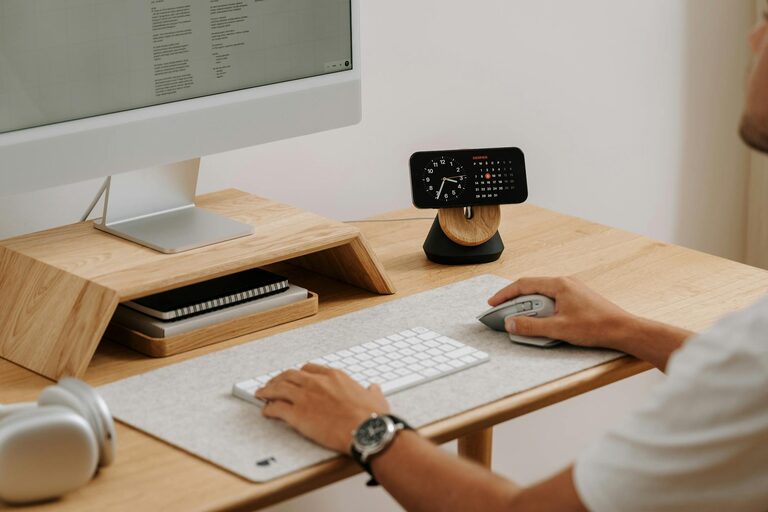
Creating a productive home office environment is essential as more people embrace remote work and flexible schedules. A well-designed workspace can enhance your focus, comfort, and overall efficiency. Whether you’re working full time from home or occasionally using a room for tasks and projects, setting up an office that suits your needs will make a real difference.
This guide shares practical tips to transform your home office into a productive haven, covering everything from furniture choices to managing distractions.
Choosing the Right Location
Picking the ideal spot for your home office is the first major step. Consider these factors:
– Natural Light: Choose a room or corner near a window to benefit from daylight, which can improve mood and reduce eye strain.
– Quietness: Find a quiet area away from household noise or foot traffic to minimise distractions.
– Space: Ensure there’s enough room not only for your desk and chair but also for any additional equipment you use, such as printers or filing cabinets.
– Privacy: If possible, use a space that allows you to close the door or mark your workspace as private to help “switch on” when working.
If a dedicated room isn’t available, try partitioning a section of a living room or bedroom with a screen or shelving unit to create a defined workspace.
Investing in Ergonomic Furniture
Comfort is key when spending long hours at your desk. Consider these furniture essentials:
– Ergonomic Chair: A supportive chair with adjustable height, lumbar support, and comfortable cushioning helps prevent back pain.
– Desk: Choose a desk at the right height that allows your arms to bend at roughly 90 degrees when typing. Adjustable desks can let you switch between sitting and standing.
– Monitor Stand or Adjustable Arm: Position your screen at eye level to avoid neck strain.
– Keyboard and Mouse: Using an external keyboard and mouse can improve posture compared to a laptop keyboard.
Investing in good-quality furniture reduces discomfort, helping you stay focused throughout the day.
Organising Your Workspace
An organised workspace reduces stress and saves time:
– Declutter Regularly: Keep only essential items on your desk.
– Storage Solutions: Use drawers, filing cabinets, or shelves to store papers, books, and supplies.
– Cable Management: Use clips or sleeves to manage cords, preventing tangles.
– Desk Accessories: Items like pen holders, planners, and desk organisers keep things neat and accessible.
Creating a tidy space can help you feel mentally clear and ready to work.
Optimising Lighting and Temperature
Good lighting and temperature control contribute significantly to comfort and productivity:
– Lighting: Use a combination of natural light and adjustable desk lighting. Avoid harsh overhead lighting and glare on screens.
– Temperature: Keep your workspace at a comfortable temperature, typically between 20-22°C. Use fans, heaters, or open windows as needed.
Adjust the environment so you feel alert but cosy throughout your workday.
Minimising Distractions
Distractions can reduce your productivity. Here’s how to limit them:
– Set Boundaries: Communicate your working hours to family or housemates.
– Noise Control: Use noise-cancelling headphones, white noise machines, or calming music to drown out background noise.
– Turn Off Notifications: Silence phone and computer notifications during focused work blocks.
– Digital Organisation: Use browser extensions or apps to block distracting websites temporarily.
Implementing these strategies helps maintain concentration and workflow.
Establishing a Routine
Maintaining a routine provides structure when working from home:
– Regular Hours: Try to start and finish work at consistent times.
– Scheduled Breaks: Take short breaks every hour to stretch and rest your eyes.
– Designated Work Times: Allocate specific hours to meetings, deep work, and administrative tasks.
– Morning Ritual: Start your day with a routine that signals it’s time to work, such as a cup of tea or a brief walk.
Having a routine makes it easier to separate work from home life and improves productivity.
Adding Personal Touches
While functionality is important, adding personal elements can make your home office more inviting:
– Plants: Indoor plants boost mood and improve air quality.
– Artwork or Photos: Personal images can inspire and motivate.
– Comfort Items: Cushions, rugs, or a favourite mug can make the space feel cosy.
Personal touches encourage you to spend time in your office and stay motivated.
Utilising Technology Efficiently
Ensure your technology supports your work smoothly:
– Reliable Internet: A strong, stable connection is essential for video calls and online collaboration.
– Quality Equipment: Use good microphones, cameras, and headsets.
– Backup Solutions: Regularly back up your files and use cloud storage for easy access.
– Apps and Tools: Employ productivity and communication apps that suit your workflow.
Technology should streamline your work rather than create extra challenges.
Keeping Healthy with Movement
Physical health impacts productivity, so remember to:
– Take Stretch Breaks: Stand up and stretch regularly to avoid stiffness.
– Exercise: Incorporate daily exercise before or after work.
– Correct Posture: Sit upright with feet flat on the floor.
Prioritising health helps maintain energy throughout the day.
—
By thoughtfully designing your home office, you create an environment where focus and comfort come together. Try out these tips and adapt them to suit your individual needs, and you’ll find yourself working more productively and enjoying your time at home even more.